
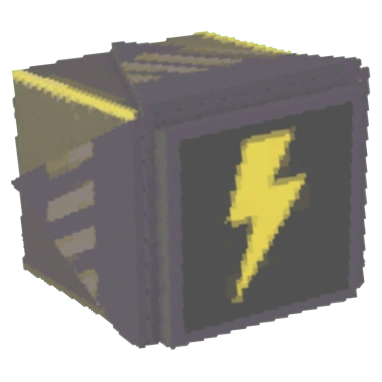
Interface and readouts · R.E.P.O. v0.4.0 · read from a local copy
The bar that shows a charge
A battery bar has a container group, a container, a background and a border with a shadow.
A battery in R.E.P.O. is drawn as well as drained: the game keeps a bar of its own with a container, a background, a border and a charge and drain fill, on top of the charge an item actually holds.
What the game establishes
- A battery bar has a container group, a container, a background and a border with a shadow. (checked against the game's own files)
- The bar can be drawn in the interface and can be made to face the camera. (checked against the game's own files)
- Charge and drain have separate fills and values. (checked against the game's own files)
- There are visuals for a battery that is out and for one that needs charging, with an effect when a bar is lost. (checked against the game's own files)
- Every bar holds the battery it belongs to. (checked against the game's own files)
- A battery knows whether it has visuals and whether it can be charged at all. (checked against the game's own files)
- A battery has a place on the model, a life, a colour and a drain rate, and can be set to drain on its own or to show only when the item is toggled on. (checked against the game's own files)
- The bar is built from named pieces of its own: a bar effect, a background, a border and its shadow, beeps for charging and draining, an out state with a line, and a bars container behind them. (checked against the game's own files)
In play
A tool that runs on a battery shows it. The game keeps a battery bar of its own, so the charge on screen is a thing that is drawn rather than only a number inside the item.
The bar is built rather than painted in. There is a container group, a container, a background and a border with a shadow, which is why the bar can be placed on an item's model instead of being part of the interface only.
It can live in the interface as well. There is a flag for a bar that is drawn in the interface, with a camera-facing behaviour, which is how the same charge can be shown on the item and on screen.
Charge and drain are two directions. There are separate fills for charging and for draining, with a charge value and a drain value behind them, which is why a tool being topped up and a tool running down do not look the same.
Running out is a state of its own. There are visuals for a battery that is out and for one that needs charging, so empty and nearly empty are told apart rather than sharing one look.
Every bar has a reference back to its item. The bar holds the battery it belongs to, which is how several tools can each carry their own charge without a shared pool.
The item side is just as detailed: a battery knows whether it has visuals, whether it can be charged at all, where it hangs on the model, its life, its colour, whether it drains on its own, its drain rate, and whether it is only shown when the item's toggle is on.
What this entry does not tell you: how long a charge lasts, how fast it drains, or what a battery costs. We have not verified those numbers, so we do not print them.
Related
 Gear and itemsBatteries and chargingBatteries are carried items in the game.
 Gear and itemsThe gear you carryA walkie-talkie is a defined item you can carry.
 Weapons and ammunitionRunning a gun dryThe game fires a bullet object of its own rather than only playing an effect.
Version and sources
A local copy of the game, read only. The grounding for each fact is listed on the technical reference pages; nothing here is estimated. Documented build: 0.4.0.